
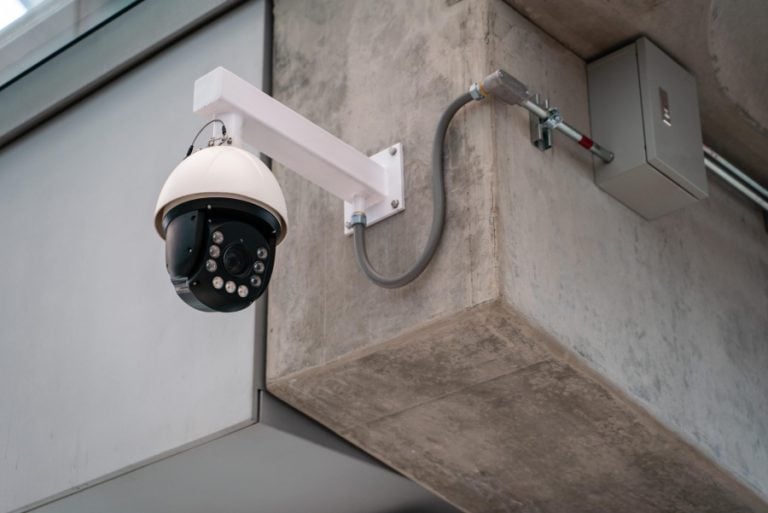
Short answer: Remote video monitoring means your cameras get watched while something is happening, not reviewed the morning after. There are three levels: you watch your own alerts on your phone, your installer watches the health of the system, or trained operators watch live during the hours you pick and act when someone is on the property. For a small Orlando business with four to eight cameras, live monitoring is usually quoted anywhere from a few hundred dollars to about $1,200 a month, depending on how many cameras are covered and for how many hours.
When an Orlando business owner calls us about video surveillance, the conversation usually splits in the first two minutes. Some want cameras that record, so there is footage when something goes missing. Others have already been through that. They have the clip of the pickup in the lot at 2 a.m., they watched it with their coffee the next morning, and it didn’t bring the trailer back. What they want now is someone who sees it while it is happening. That second thing is remote video monitoring, and it’s a different product with a different price.
What is remote video monitoring?
A standard video surveillance system is a recorder. Cameras capture, an NVR or a cloud account stores, and a person looks at it later. Remote video monitoring adds a watcher. Software on the camera or recorder flags an event, such as a person or a vehicle inside a zone at an hour when it should be empty, and that event goes to someone who can act on it within seconds.
Who that someone is decides the price. It is the question to settle before you compare a single quote.
The three levels of monitoring
Nearly every monitored system we run into locally falls into one of these three levels, and plenty of businesses mix them: live operators on the equipment yard, self-monitoring on the front office.
| Level | Who is watching | What happens on an event | Monthly cost |
|---|---|---|---|
| Self-monitored | You or a manager, through a phone app | You get an alert and a clip, and you decide what to do | Nothing beyond any cloud storage fee |
| Managed system monitoring | Your installer, watching the system itself | Offline cameras, full drives and failed recorders get flagged and fixed | Usually part of a service agreement |
| Live remote monitoring | Trained operators at a monitoring center | An operator checks the clip, warns the person over a speaker and calls police with a description | Per camera or per site; the only level with a real monthly bill |
Self-monitoring works when the business is small and someone will actually look at their phone at 1 a.m. It stops working the first weekend nobody does. Managed system monitoring is the one people forget, and it matters more than it sounds: a camera that has been dark since a July storm is worse than no camera, because everyone assumes it is recording. It’s part of how we support the systems we install, because we’d rather find the dead camera than have you find it the day you need the footage. Live monitoring is the only level where a person is paid to be awake and watching.
How a live monitoring event actually plays out
Here is a typical after-hours event on a monitored lot, from the first trigger to the police call:
- 2:14 a.m. A camera’s analytics flag a person inside the fenced yard, in a zone scheduled as closed.
- Seconds later. The clip and the live view land on an operator’s screen. They confirm it is a person and not a raccoon, a palm frond or headlights sweeping across the fence.
- Talk-down. The operator speaks through a speaker on the pole: you by the trailer, you are on camera and police are being called. In a lot of cases, that’s where it ends.
- Dispatch. If it doesn’t end there, the operator calls police with a live description: how many people, where they are, what they are doing.
- Follow-up. You get a notification, and the clip is saved for the report and the insurance claim.
Person and vehicle analytics instead of plain motion detection. Pixel-based motion alerts fire on every thunderstorm, swaying palm and passing headlight, and an operator buried in junk clips eventually misses the real one. Cameras that can tell a person or a vehicle from everything else are what make live monitoring workable in Central Florida.
What remote video monitoring costs in Orlando
Live monitoring gets sold a few different ways: per camera per month, per site per month, by the hour of coverage, or per event. One 2026 pricing guide from a monitoring company puts a low-activity site at around $75 per camera per month, a small business with four to eight cameras at roughly $200 to $1,200 a month, and a site with 10 to 20 cameras between $500 and $3,000. Every site is different, so treat those as a starting point rather than a quote.
The range is wide because four things move it:
- Hours watched. Nights and weekends costs far less than around the clock, and most businesses only need coverage when nobody is there.
- Cameras watched. You rarely need an operator on every camera. The gate, the yard and the dock matter at 2 a.m. The break room doesn’t.
- Activity level. A quiet fenced yard produces few events. A lot beside a busy road produces a lot of them, and event-based pricing climbs with it.
- Response services. Talk-down, guard dispatch and written incident reports each add to the monthly number.
That covers the monitoring only. The cameras, cabling, recorder and storage are a separate, mostly one-time cost, which we broke down in what commercial security camera installation costs in Orlando.
What your cameras need before monitoring works
This is where most monitoring disappointments start. A monitoring contract layered onto a system that was never designed for it turns into a stream of false alerts or, worse, silence. Before you sign one, check five things:
- Analytics-capable cameras. Person and vehicle detection on the camera or the recorder, with zones you can draw and put on a schedule.
- Light at night. Infrared that actually reaches the fence line, or white light where an operator needs color to describe someone.
- Upload bandwidth. Operators need clean live video. A site pushing a dozen cameras through a small upload will stutter at exactly the wrong moment.
- A speaker where it counts. Talk-down needs an outdoor speaker, or a camera with one built in, near the area being watched.
- Power that rides through a storm. IP cameras draw power over their network cable from a PoE switch, so that switch and the recorder belong on a UPS. A camera that drops every time the power blinks is not a monitored camera.
Most of that list is cabling and network design, the same structured cabling that already carries your data and phones. When we design a camera system, the drops, the switch power budget and the upload go on the same drawing, so adding monitoring later doesn’t turn into a second project.
What is specific to Orlando
False alarm fees. The City of Orlando’s false alarm fee schedule for commercial accounts carries no fine for the first two false alarms in a 12-month period, $50 each for the third and fourth, and $100 for every one after that. An unregistered alarm is $50 per activation. Businesses in unincorporated Orange County fall under the Sheriff’s Office program instead. Every unverified alarm that sends an officer to an empty building counts, and an operator who can see what tripped the sensor is the difference between a dispatch and a note in the log.
Weather. Summer afternoon storms, lightning and the wind that comes with them are a steady source of false motion events here from June into September. Good analytics and sensible zones handle most of it. Surge protection on the outdoor camera runs handles the rest.
What people actually want watched. Most of the monitoring we set up in Central Florida is outdoors: fenced equipment yards, parking lots, loading docks, and construction sites between phases. Those are the places where nobody is around after 6 p.m. and the loss is a trailer, a pallet of materials or a spool of copper, not a laptop.
Is live monitoring worth it for your business?
It usually is when you have real value sitting outside after hours and nobody on site: yards, lots, docks, job sites, operations spread across several locations, and anyone who has already filed one police report. It usually isn’t when you are an office suite in a staffed building with a locked lobby. There, good commercial security cameras, sensible retention and alerts to a manager’s phone cover most of the risk for a fraction of the cost.
- Decide which cameras need a person on them and which only need to record.
- Set the hours. After-hours and weekends covers most businesses.
- Confirm the cameras run person and vehicle analytics, not plain motion.
- Put the PoE switch and recorder on a UPS before the next storm.
- Add a speaker wherever a talk-down would help.
- Register your alarm with the city and keep count of false dispatches.
Frequently asked questions
What is remote video monitoring?
Remote video monitoring means your security cameras are watched as events happen, either by you through alerts on your phone or by trained operators at a monitoring center. Analytics flag a person or vehicle in a zone at a time it should be empty, and whoever is watching can respond within seconds instead of reviewing footage the next day.
How much does remote video monitoring cost for a business?
Live operator monitoring is usually priced per camera or per site each month. One 2026 industry pricing guide puts low-activity sites around $75 per camera per month and small businesses with four to eight cameras at roughly $200 to $1,200 a month, depending on hours covered, cameras watched and response services such as talk-down. Self-monitoring through an app has no monitoring fee.
Is remote video monitoring better than a traditional alarm?
They do different jobs and work well together. An alarm tells you a door opened or a sensor tripped. Video monitoring shows what is actually happening, so an operator can confirm a real intrusion, warn the person on site and give police a description, or skip the dispatch when the trigger was a cleaning crew or a storm.
Can I watch my business security cameras from my phone?
Yes. Modern IP camera systems stream live and recorded video to a phone app or browser and can push an alert when analytics detect a person or vehicle in a zone you set. That is self-monitoring, and for many small offices it is enough.
Do I need new cameras to add remote monitoring?
Not always. If your cameras or recorder support person and vehicle analytics, have usable night vision, and the site has enough upload bandwidth, monitoring can often be added to what you already have. Older analog cameras, or systems that only do pixel motion detection, usually need upgrades first to avoid a flood of false alerts.
Does video verification help with Orlando false alarm fees?
It can. The City of Orlando charges commercial alarm accounts $50 each for the third and fourth false alarm in a 12-month period and $100 for each one after that. When an operator can see what set off the alarm, a storm or a cleaning crew does not turn into a police dispatch, which keeps false dispatches down.
Find out which cameras actually need watching
Tell us your address and what worries you after hours. We’ll walk the property, check what your current cameras can do, and tell you straight whether you need live monitoring, better analytics, or just a recorder that works.